Text to Speech Download: Generate and Save Audio in 2026
Text to speech download guide: generate audio from text, save it as MP3 or WAV, check the file, and confirm you have the rights to use it.
You've got a script ready, a deadline today, and a tool that plays the voice perfectly in your browser. Then you download it, and the file won't open, cuts off early, or can't legally go into the video you made it for. That gap is where most text to speech download problems live. Treat the download as a finished audio asset, not a browser trick, and you'll catch those problems while they're still cheap to fix.
Table of Contents
- Choose the Right Way to Get Your Audio File
- Picking MP3, WAV or Another Format
- How to Generate and Download Your First Audio File
- Fixing Downloads That Won't Play or Sound Wrong
- Whether You Can Publish the Downloaded Audio
- Run a Test Download Before You Commit
Choose the Right Way to Get Your Audio File
Start with one question. Do you need a saved file you can keep, edit, and move, or do you only need text spoken aloud on a screen right now? Those are different jobs, and the tool that does one well often doesn't do the other at all.
A web tool is fastest for a single narration because there's nothing to install. A desktop app earns its keep when you convert documents every week and want the same voice, folder structure, and settings each time. An API flips the work around. Your code sends text, receives audio bytes in the response, and stores the file wherever your app needs it. That's the right shape for per user audio, and it's the wrong shape for one podcast intro.
Ways to Get a Text to Speech File
| Method | Typical output | Works offline | Best for |
|---|---|---|---|
| Online TTS web tool with download button | MP3 or WAV | No | One-off narration and quick voiceovers |
| Desktop TTS application | MP3 or WAV | Yes, once voices are installed | Batches of documents converted regularly |
| Text-to-speech API call | Audio bytes in the response, format set in the request | No | Apps that create audio for each user |
| Open-source model run locally | WAV or the format your code writes | Yes | Sensitive text and offline workflows |
| Operating system screen reader | Usually no saved file | Yes | Listening rather than producing a file |
Local open-source models suit confidential drafts, client material, and work with no reliable connection. The trade-off is real. You'll need disk space for models and voice files, a machine that can render at a usable speed, and time to set it up and keep it updated. Privacy also isn't automatic just because synthesis is local. Check whether the app still sends analytics, crash reports, or voice reference files anywhere.
Screen readers sit in a different category. They're built for listening and navigation, so most speak text aloud without saving a portable file. If your deliverable is an MP3 someone else can play later, a screen reader doesn't solve your problem.
Rule of thumb: If you'll generate the same voice more than a few times a week, pick batch or API access instead of pasting into a web form again and again.
Before you commit to a route, compare voices and model behaviour in this guide to text-to-speech models, then test your actual script. A voice that sounds polished on a short demo sentence can still stumble on your product names, prices, and acronyms.
Picking MP3, WAV or Another Format
Format decides three things at once: file size, editing flexibility, and compatibility. Pick it once per project, before you render, because converting afterwards either wastes space or throws quality away.
MP3 and AAC are lossy. They discard audio detail to stay small, and every re-encode discards a bit more. That's fine for a finished file heading to a player. It's a poor choice for a master you'll trim, level, mix under music, and export again. WAV keeps the full signal, which is why editors prefer it, and why a long narration gets heavy fast. FLAC is also lossless and smaller than WAV, but you'll still meet players, upload forms, and older devices that refuse it.
Audio Formats and Their Trade-offs
| Format | Size per minute | Best for | Watch out for |
|---|---|---|---|
| MP3 | About 1 MB at 128 kbps | Sharing, podcasts, web playback | Lossy, so re-encoding loses quality |
| WAV | About 2.6 MB mono at 22.05 kHz, about 10.6 MB for CD-quality stereo | Editing, archiving, master copies | Large files, a ten minute stereo narration can reach about 100 MB |
| M4A or AAC | About 1 MB at 128 kbps | Apple devices and mobile apps | Some editing tools accept it less readily |
| FLAC | Roughly half of WAV, varies with content | Lossless archive | Not every player supports it |
Size matters sooner than people expect. A short voiceover is trivial in any format. A long training course, an audiobook chapter set, or a library of generated prompts turns that per minute gap into storage, upload time, and backup cost.
Compatibility matters just as much for listeners. Save spoken content in a widely supported format, label the format clearly, and make sure the file plays without the app that created it. A download your audience can't open on a phone isn't accessible, whatever the voice quality.
This choice is a recent luxury. Downloadable speech only became practical once software synthesizers could produce reasonably intelligible speech in near real time, a point the ANSI blog history of text-to-speech technology places in the late 1980s. Before that, you weren't choosing codecs. You were choosing hardware.
I would keep it simple. Download WAV as your master copy, then export MP3 for distribution. You edit from the file that lost nothing, and your listeners get the file that plays everywhere.
How to Generate and Download Your First Audio File
Clean text in, verified file out. Most bad downloads are decided before you press generate, by text nobody cleaned and settings nobody set on purpose.
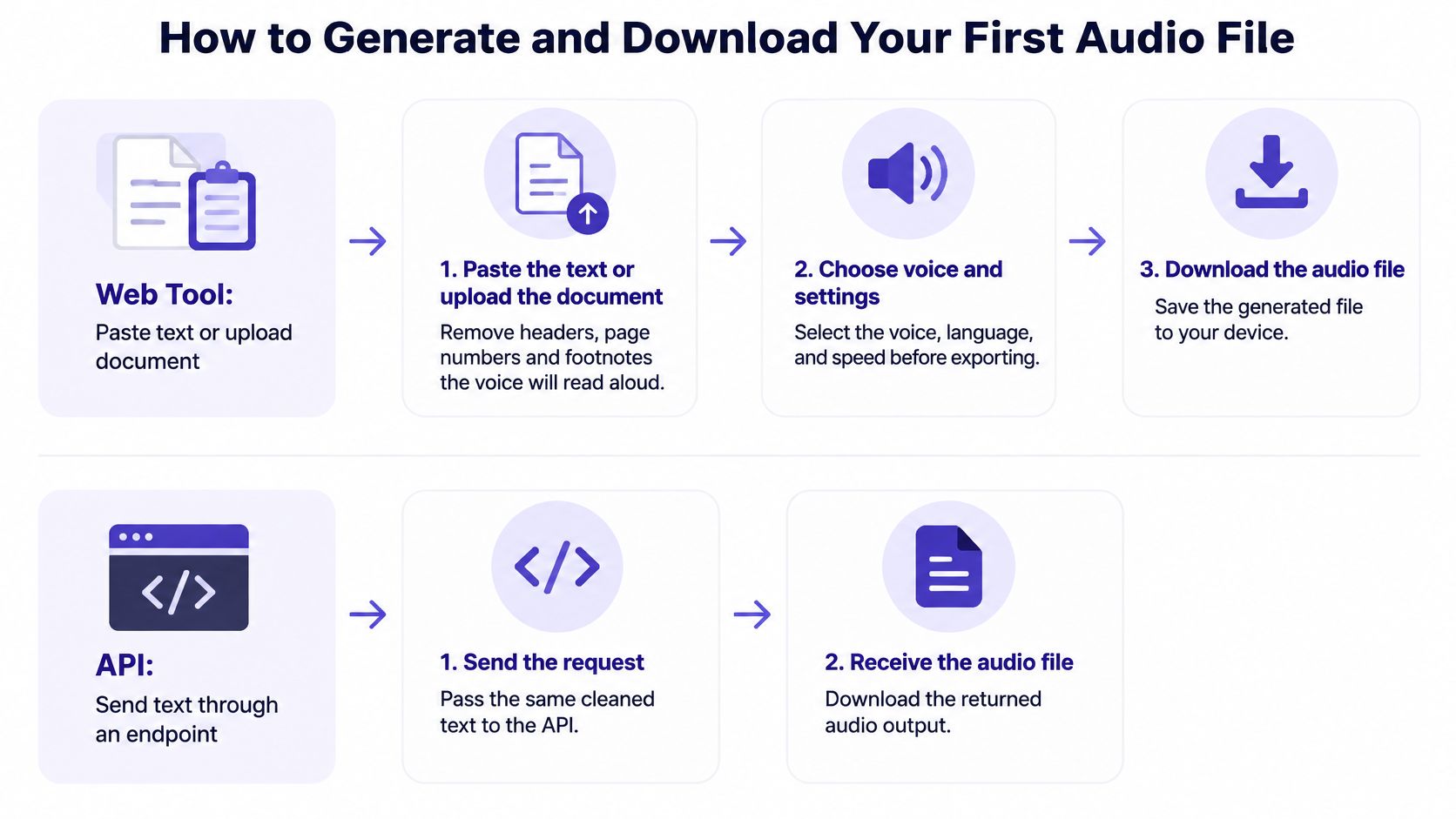
Using a Web Tool
- Paste the text or upload the document. Strip headers, page numbers, footnotes, table debris, and URLs you don't want read aloud. The voice will read what's there, including the footer.
- Choose the language, voice, and locale explicitly. Locale controls how dates, currency, and numbers sound. Don't let the tool guess from your browser settings.
- Leave speed at the default for your first pass. Faster rates often blur consonants and swallow short words. Adjust only after you've heard a clean baseline.
- Generate a short sample first, around 30 seconds. Listen all the way through. This catches the wrong voice, wrong accent, or mangled name before you pay to render the full script.
- Pick the output format for the job. Choose WAV if you'll edit, MP3 if the file is finished and heading to listeners.
- Download it and rename it immediately. Use project, voice, and date in the filename. A folder full of files called output.mp3 is untraceable within a week.
Using an API
The API route follows the same logic in code. Get a key from your provider, then send a POST request with the model, input text, voice, and the response format you want. Write the returned bytes to a file with the extension that matches that format. Requesting one format and saving with another extension is how you create a file no player will open.
Two practical details save trouble later. First, stream the response to disk for long renders instead of holding everything in memory. Second, store the request settings beside the file, including model and voice identifier, locale, sample rate, and the date. When a client asks for one paragraph re-recorded a month later, that record is how you match the original.
On access, plan for credentials. Pay-per-request works for chat through POST /v1/chat/completions and POST /v1/messages, while images, video, music and speech still require a key. So build key storage and rotation into your speech workflow from the start, not as a patch.
A good first file has no clipped first or last words, clear pauses at sentence ends, and a duration close to what you'd expect for the word count.
Check duration before anything else. If your sample should run about 30 seconds and the file shows four seconds, something failed, and no amount of listening will fix it. Regenerate the sample, not the whole document, until the short version is right.
Fixing Downloads That Won't Play or Sound Wrong
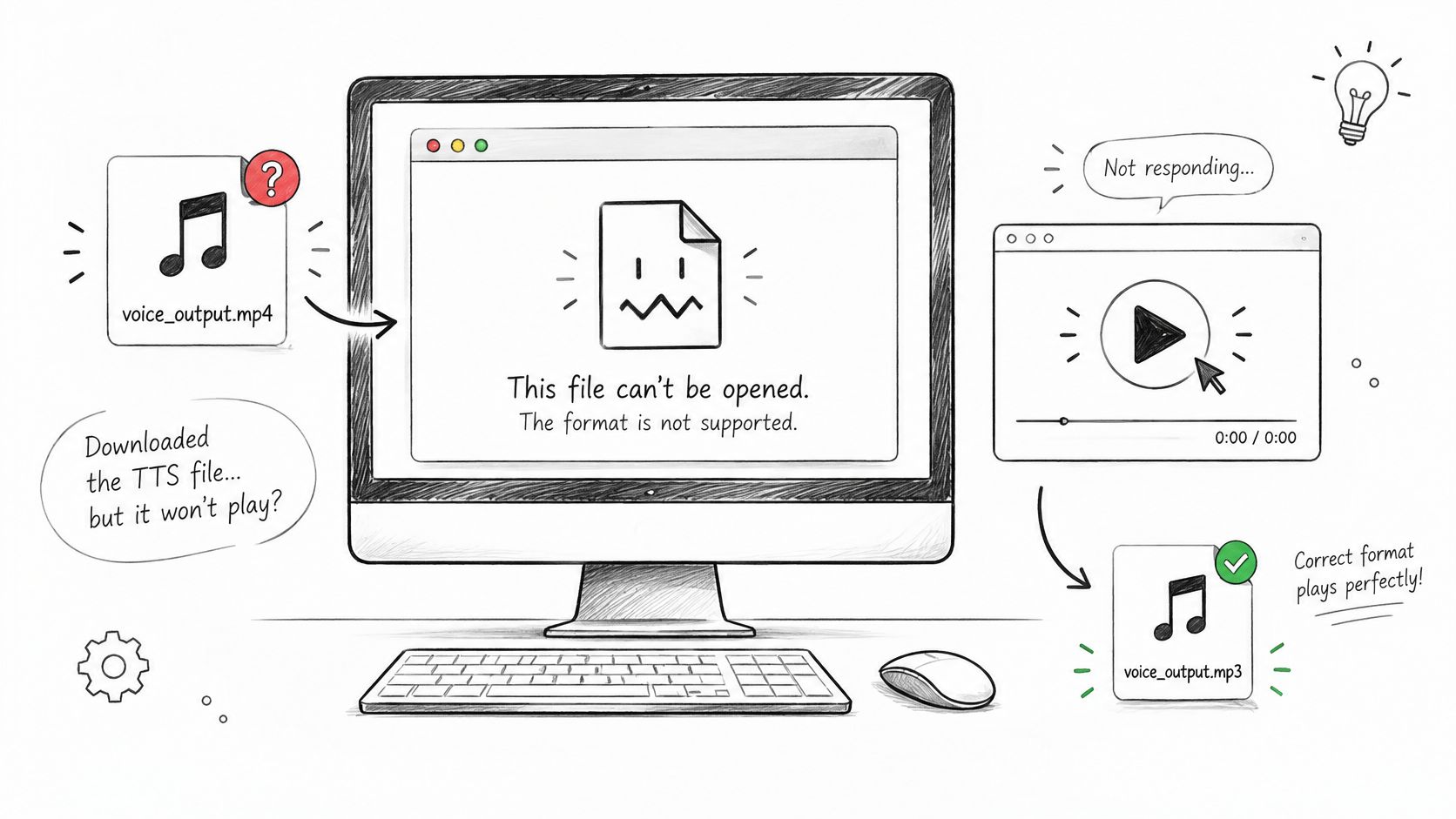
The most common failure is boring. The file downloads, looks normal, and won't open because raw or differently encoded audio was saved with an extension that doesn't match its contents. Players trust the extension, then fail on the bytes inside.
Download Problems, Causes and Fixes
| Symptom | Likely cause | Fix |
|---|---|---|
| File will not open | Raw audio saved with the wrong extension | Save with the extension that matches the format requested |
| Audio stops before the end | Streamed response was truncated | Compare duration with the expected length and download again |
| Silence or static | Sample rate or encoding not supported by the player | Regenerate in MP3 or WAV at a standard sample rate |
| Words skipped or merged | Long text split mid-sentence | Split input at sentence boundaries and regenerate |
| Numbers or acronyms read wrongly | Text not normalized before synthesis | Write out dates, currency and acronyms before generating |
| Wrong accent or language | Locale not set | Set the language and locale explicitly in the request |
Work through the table in order of effort. Renaming a file to the correct extension and setting a locale take minutes. A truncated stream needs a fresh download and a byte count or duration check. Skipped words and bad number reading need the text fixed and the audio regenerated, because no player setting will recover words that were never synthesized properly.
Three checks catch most problems before publishing. Confirm the file decodes and has a nonzero duration that roughly matches your expectation. Play it on two devices, ideally a laptop and a phone. Then transcribe it with any speech-to-text tool and compare the words against your source text, watching numbers and names closely.
That layered approach matches formal evaluation practice. A benchmark paper on synthesized speech evaluation unified test samples as 16-kHz WAV before scoring and used separate checks for file integrity, intelligibility, and perceptual quality. You don't need that full rigour for a single voiceover, but copy the principle. A successful download response doesn't prove you have usable speech, so check the audio itself, not the status code.
Keep your thresholds separate too. A file can download reliably, sound pleasant, and still read a price wrong. Log transport, intelligibility, and naturalness as different results, and you'll know which fix to apply instead of regenerating at random.
Whether You Can Publish the Downloaded Audio
Here's the assumption to drop: a file on your hard drive is not automatically yours to publish, sell, or redistribute. Being able to export audio and having the right to use it are two different things, and download guides that stop at the save button leave you carrying that risk.
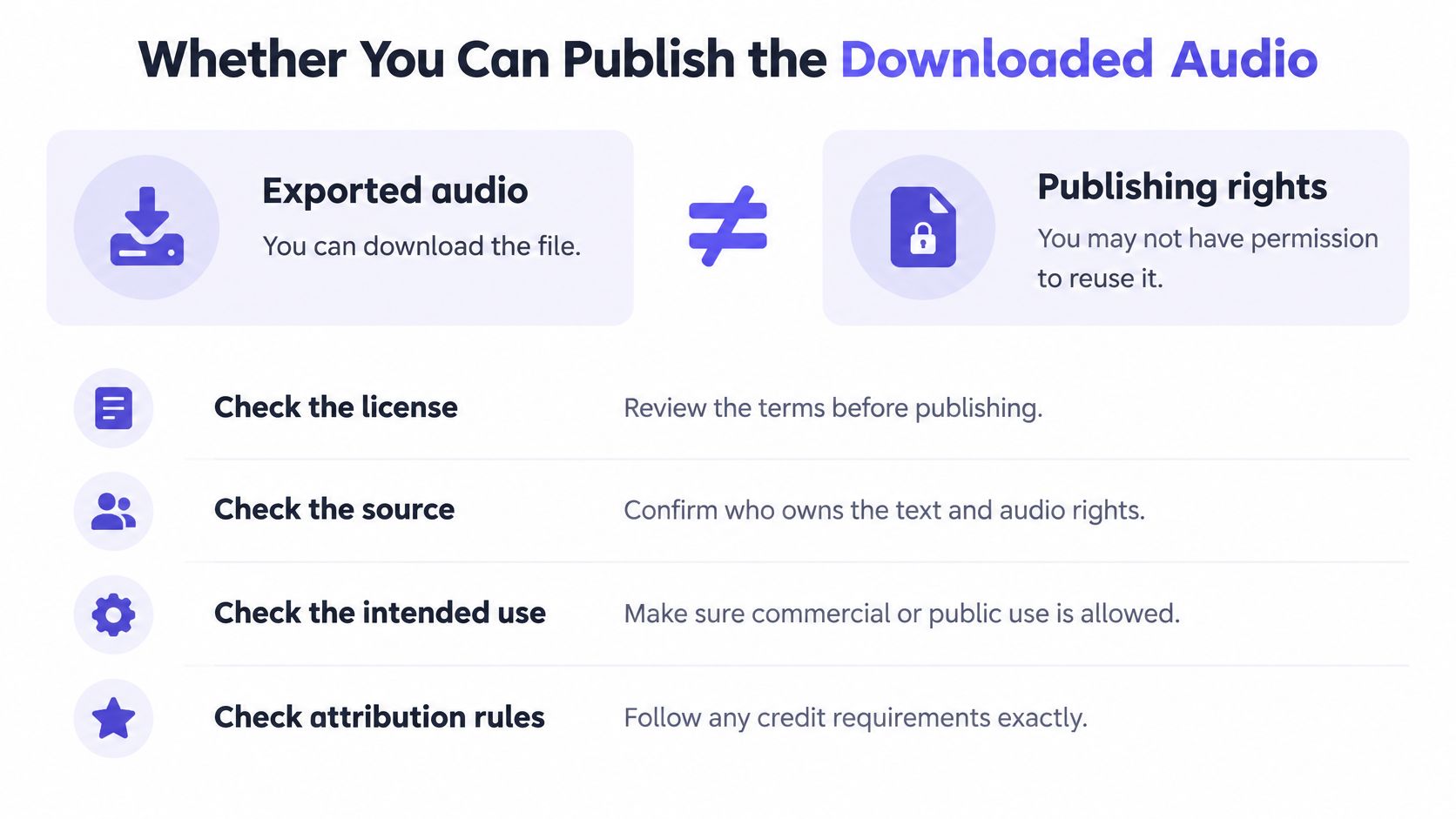
Check these before the file goes anywhere public:
- Your tier and terms: Confirm whether commercial use is allowed on your plan, not just personal use. Free tiers often restrict monetised use.
- The voice type: A prebuilt voice and a cloned voice carry different obligations. A clone needs consent from the person it imitates.
- Your input rights: You need rights to the text you're converting, not only to the audio that comes out.
- Disclosure: Decide whether your market or platform requires you to label synthetic speech, and add that label before publishing.
That responsibility sits with you. Microsoft's text-to-speech transparency note places responsibility on users to secure rights to input text, voice talent, likeness, and other source material, while paid prebuilt-voice output may generally be commercially usable under applicable terms. Read your own provider's terms in that light rather than assuming they match.
Open-source downloads add a second layer. Code and model weights can carry separate licenses, and either one can restrict commercial use, redistribution, or offering the model as a hosted service. Check both, plus the licence on any voice data you fine-tuned from.
Keep evidence while it's easy. Save the plan or licence terms in force on the download date, the voice name and version, your request settings, and the date itself. This record matters most when the file moves to a retailer, an ad platform, or a client's channel, because the original terms don't travel inside an MP3. If your narration will sit inside video, settle the same provenance questions for the finished asset using this guide to getting videos before you upload anywhere.
Run a Test Download Before You Commit
You can settle format, voice, and rights in one afternoon with a single hard sample. Don't use easy demo text. Use text that can fail.
- Paste about 1,000 characters that include numbers, a personal name, a date, and an acronym.
- Generate it in WAV and MP3 with the same voice and settings, then compare both files.
- Play each on a phone and a laptop and check the duration against your expectation.
- Transcribe one file and compare the words with your source, noting every misread number.
- File the test beside your licence evidence, labelled with voice name, format, and date.
Price the full job from that sample before you scale. At a worked example rate where Qwen3 0.6B TTS costs $0.035 per 1K characters, against a list price of $0.0875 per 1K characters, your 1,000 character test costs $0.035, or 3.5 cents. Multiply by your real script length and you have a budget, not a guess. Compare candidate voices the same way, including a model such as ElevenLabs TTS v4, using identical test text.
If the sample fails, fix the specific cause and rerun the sample. A failed test almost always points to one setting, one unnormalized number, or one wrong extension. Once both formats pass and your rights check holds, render the full text and keep the test file as your reference for every future render.
Ready to generate your first verified file instead of re-rendering the same broken one? UberLLM gives you text, image, video, music, and speech models through one API, so you can test voices, download audio in the format your project needs, and keep your workflow in a single place. Start your first test download today at UberLLM.