10 Text to Video Prompts for Stronger AI Clips
10 practical text to video prompts with examples, tips, and trade-offs to help you generate cleaner, more consistent AI video results.
Adding more detail isn't the best way to improve text to video prompts. Once you've specified the subject, action, framing, and lighting, extra instructions can introduce competing demands: the camera circles while the character turns, the weather changes, and a product transforms before the opening composition has settled.
That doesn't mean model limitations disappear with better writing. Some actions remain unreliable, and no collection of cinematic adjectives guarantees stable hands, accurate physics, or matching faces across shots. But you can make failures easier to diagnose by choosing a prompt format that fits the job.
An opener showing a wide view needs coherent geography and restrained camera movement. A product teaser requires stable geometry and controlled reflections. A dialogue scene demands readable expressions, intelligible speech, and a mouth that follows the audio.
Treat a prompt as a shot brief, not a miniature screenplay. Describe what the viewer must see, then leave room for the model to execute it.
The reusable formats below separate those requirements. Each includes adaptable wording, a production use case, and a way to iterate when the result looks attractive but doesn't work.
Keep technical settings separate from descriptive language wherever your interface allows it. Set aspect ratio, duration, resolution, audio, and seed through the controls, then use the prompt to describe the shot. Otherwise, you can spend a generation discovering that the system ignored a setting buried in prose.
Table of Contents
- 1. Cinematic Establishing Shot (Aerial or Landscape)
- 2. Product Showcase Commercial or Brand Logo Reveal
- 3. Character Dialogue Scene with Synchronized Audio
- 4. Anime or Stylized Animation Scene
- 5. Time-Lapse of a Natural or Urban Process
- 6. Scientific or Process Visualization
- 7. Vertical Short-Form Social Video (9:16)
- 8. Slow-Motion Food or Beverage Close-Up
- 9. Music Video or Abstract Motion Visualizer
- 10. Film-Noir or Dramatic Lighting Scene
- Prompt Formats at a Glance
- Put These Text to Video Prompts to Work
1. Cinematic Establishing Shot (Aerial or Landscape)
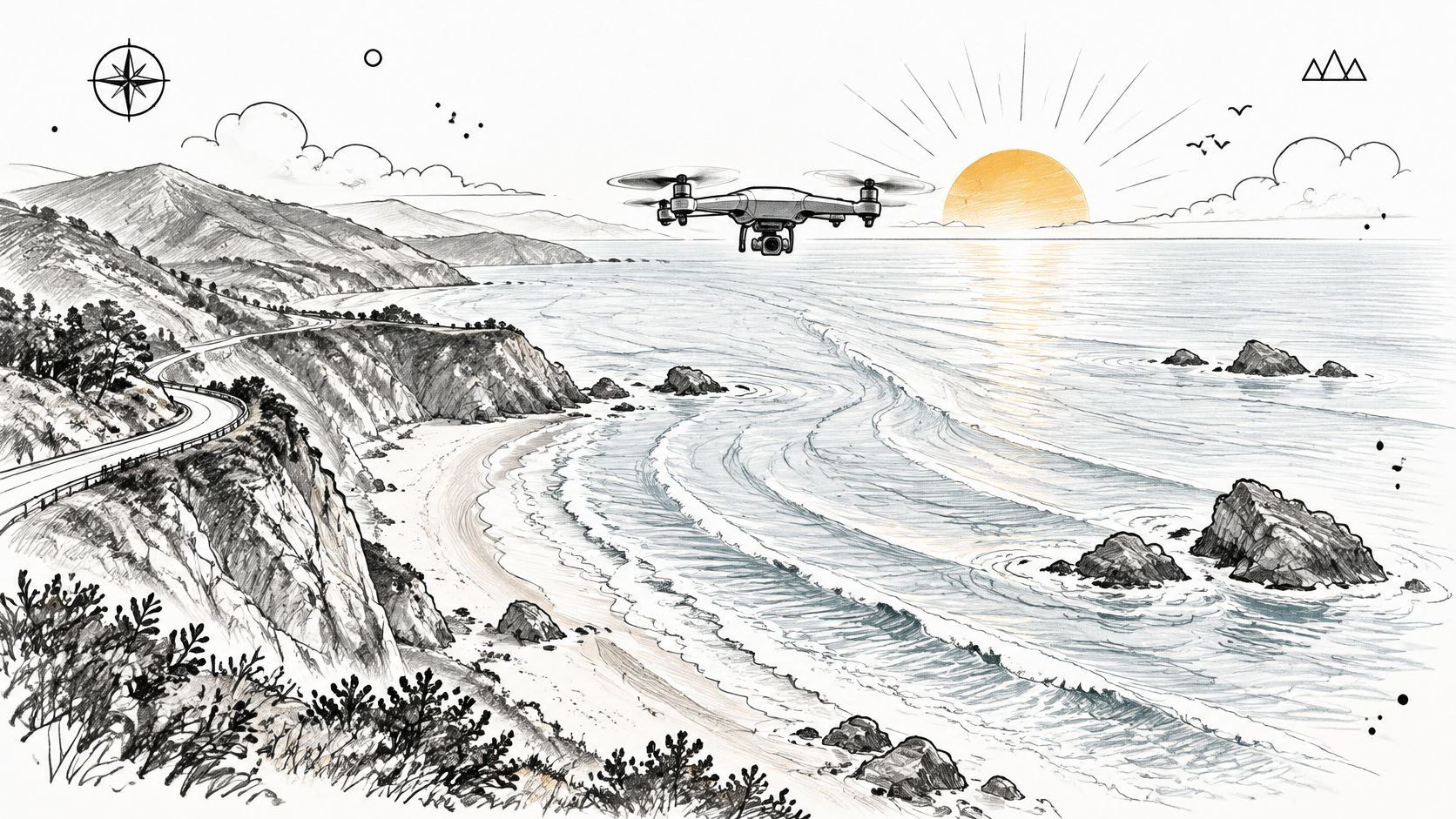
Start with geography, not spectacle. A documentary opening or travel montage needs a place the viewer can understand, with a clear foreground, background, and direction of travel.
Reusable format
Wide aerial view of [scene], with [foreground feature] leading toward [background feature]. The camera glides slowly forward at a constant height. [Time of day and weather], [lighting], naturalistic cinematic color.
For a travel opener, try:
Wide aerial view of a rugged coastline, with a winding coastal road leading toward distant cliffs. The camera glides slowly forward above the water. Late-afternoon sunlight, light sea mist, muted blue water, naturalistic cinematic color.
Fix geography before adding drama
Watch the coastline and road throughout the clip. If their shapes change, the shot won't hold up as establishing footage, even if the opening frame looks excellent.
- Simplify the movement: Replace an orbit or descending reveal with a forward glide.
- Separate lighting tests: Compare warm sunlight with overcast diffuse light without also changing the setting.
- Inspect distant detail: Buildings, boats, and road markings can merge or appear unexpectedly.
This format works well for fictional locations, mood films, and concept footage. It's a poor substitute for documentary evidence or an accurate real-estate location shot. When a specific property matters, start from authorized location imagery rather than asking text alone to reconstruct it.
2. Product Showcase Commercial or Brand Logo Reveal
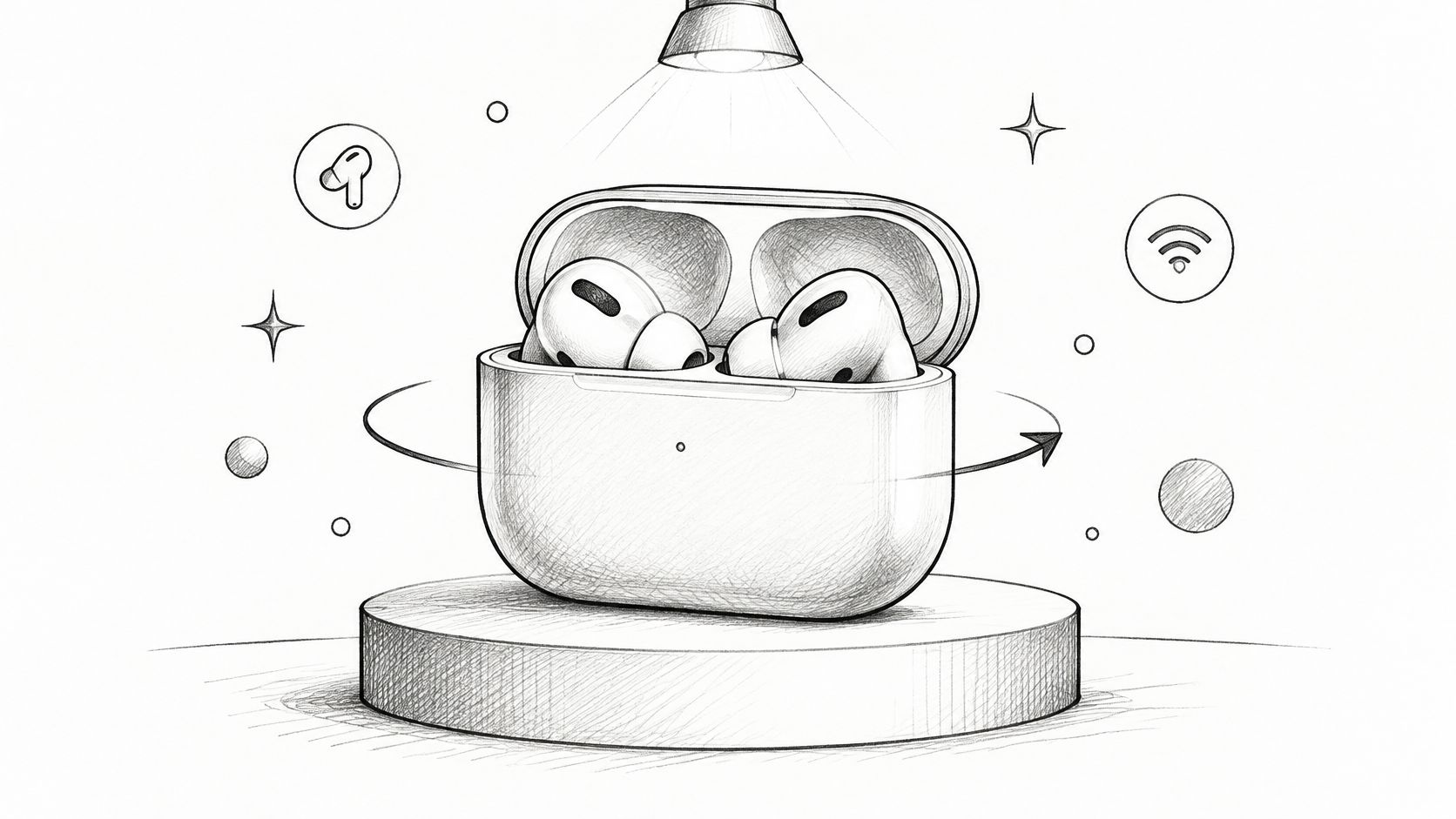
A premium product shot usually depends on restraint: a stable silhouette, deliberate highlights, and a background that doesn't compete with the object. Complicated transformations make it harder to preserve all of those.
Product prompt
Studio close-up of a closed matte-black wireless earbud case on a pale reflective surface. The case rotates slowly while the camera remains fixed. Soft overhead illumination and a narrow rim light define its curved edges. Clean background, restrained advertising aesthetic.
Logo-background variation
Soft amber light particles gather around the edges of a dark charcoal background. The center remains clear and visually quiet. Gentle motion, subtle glow, polished brand-film aesthetic.
Generate atmosphere, preserve brand assets
Use these for campaign concepts, agency pitch films, or backgrounds behind real product photography. Don't ask a generated logo reveal to reproduce approved lettering, packaging claims, or legal text. Add those assets in your editor.
Material descriptions matter more than a pile of luxury adjectives. Brushed aluminum, translucent plastic, and frosted glass each imply different reflections.
If the product changes shape during rotation, stop rotating it. Try a stationary object with a moving highlight instead, or animate an approved product image through image-to-video. Before publishing, inspect seams, hinges, reflections, and any visible markings. A plausible-looking product isn't necessarily the product you sell.
3. Character Dialogue Scene with Synchronized Audio
Use this format when the spoken line carries the scene: a narrative reaction, an explainer introduction, or a direct-to-camera social hook. Confirm that the selected model and endpoint support generated audio before writing dialogue into the request.
Reusable format
Medium close-up of [character] in [setting]. The character delivers [brief line] in a [voice description], with [emotion]. Subtle facial movement, steady camera, [lighting]. [Quiet ambient sound], with the voice clearly foregrounded.
A café scene could read:
Medium close-up of a tired traveler seated beside a rain-streaked café window. She says that she knew he would return, in a low, restrained voice with relief beneath the words. Warm interior light, steady camera, subdued rain ambience.
Enter the exact spoken wording in the model's dialogue field or supported dialogue syntax when available.
Audio priority: If the audience must understand the line, simplify everything happening around it.
Keep the character seated or standing still while testing speech. Walking, turning away, handling props, and speaking together create more opportunities for visible mismatch.
Evaluate voice, lip movement, expression, and background sound separately. A good vocal performance doesn't rescue a drifting face, and accurate lip movement doesn't rescue an unintelligible line. If speech remains unreliable, generate a silent performance and add recorded dialogue with a dedicated lip-sync workflow. That adds editing, but gives you firmer control over pronunciation and delivery.
4. Anime or Stylized Animation Scene
Stylization gives you room to simplify detail, but it doesn't excuse inconsistent movement. A character whose coat changes color or whose feet slide across the pavement still breaks the shot.
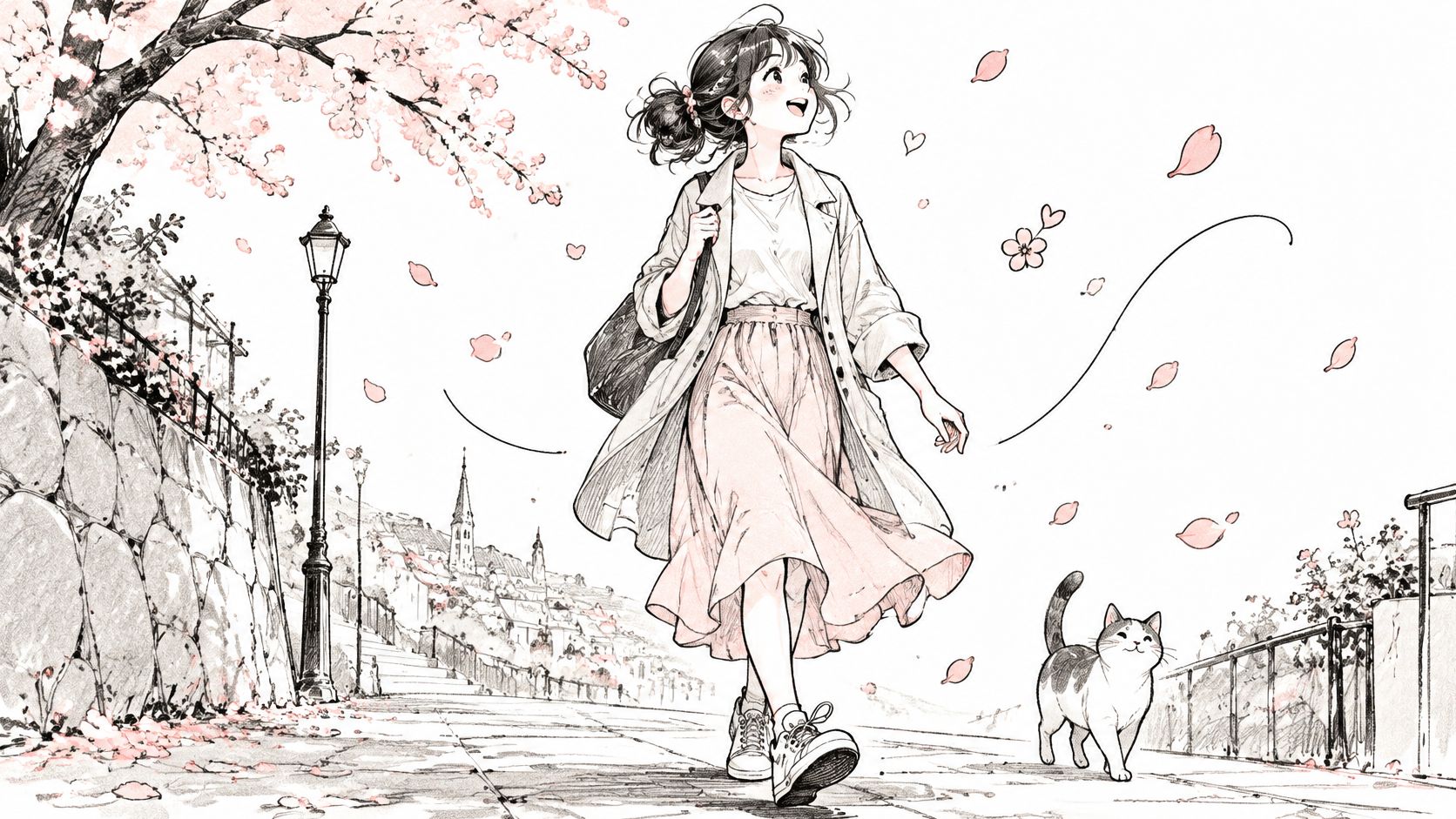
For an animated social series, build a reusable style block:
Hand-painted anime aesthetic, crisp cel shading, delicate outlines, soft pastel palette, lightly textured backgrounds.
Then attach the scene:
A young woman in a yellow raincoat walks along a quiet cherry-blossom path. A side-tracking camera follows her at walking pace. Petals drift through the background. Her coat remains yellow throughout.
Keep style fixed while testing action
Reuse the style block unchanged across the project. Test walking, looking up, or pausing separately before combining them into a longer sequence.
Compositional control deserves its own review: T2V-CompBench evaluates seven distinct capabilities, including consistent attribute binding, spatial relationships, and object interactions. For this scene, that means checking the coat color and the character's position, not merely deciding whether the artwork looks appealing.
If identity matters across episodes, use an approved reference frame with image-to-video. Text descriptions can establish a general character concept, but they aren't a dependable character sheet. Keep elaborate fabric patterns and accessories out of early motion tests, then add them only if they're essential to the design.
5. Time-Lapse of a Natural or Urban Process
A convincing time-lapse needs something stable against which the viewer can read change. Lock the camera and let the clouds, light, traffic, or plant move.
Reusable format
Locked-off wide view of [setting]. Time-lapse progression from [opening condition] to [ending condition]. [Changing elements] move while [stable landmarks] retain their shape and position. Tripod-stable framing, continuous transition.
For a documentary transition:
Locked-off wide view of a desert canyon. Time-lapse progression from bright afternoon to warm sunset. Clouds travel across the sky and shadows lengthen over the rocks. The canyon walls retain their shape and position. Continuous lighting transition, tripod-stable framing.
Describe states rather than exact timestamps
Precise timing language isn't a dependable control mechanism. In a Wan 2.1 experiment described in the temporal-control study, adding explicit timing language slightly reduced temporal accuracy from 65% to 64%.
Give the model a clear opening state, visible change, and ending state instead. If the transition happens too abruptly, simplify the requested change before extending the clip.
- For atmospheric footage: Clouds and shifting light can carry the shot without additional action.
- For background loops: Prefer recurring motion with similar opening and closing compositions.
- For irreversible changes: Treat blooming, melting, and construction as sequences, not automatically loop-ready clips.
Trim unstable beginnings and endings in your editor. Speed adjustment can improve pacing, but it won't repair buildings that bend or flowers that lose their structure.
6. Scientific or Process Visualization
Technical-looking footage can be confidently wrong. Use text-generated video to communicate a reviewed concept, not to establish whether the concept is scientifically accurate.
For a filtration explainer, keep the mechanism visible and the claim narrow:
Process prompt
Illustrative cutaway animation of water moving through a porous filter layer. Water enters from the left, passes through the material, and exits on the right. Larger suspended particles remain on the inlet side. Fixed side view, clear separation between components, neutral background, no embedded labels.
This supplied video can serve as a viewing reference alongside a process brief:
Review the mechanism before the polish
For an educational module, compare the animation against the approved diagram before judging its lighting or texture. Check flow direction, component boundaries, and whether the depicted mechanism matches the explanation.
- Isolate the step: Show transport, separation, or release without asking for the entire system at once.
- Add labels afterward: Place arrows, terminology, and explanatory text in the editor.
- Escalate accuracy requirements: Use controlled animation or simulation when geometry and behavior must be exact.
An illustrative style helps viewers distinguish a simplified explanation from observational footage. It doesn't make an incorrect process acceptable.
If particles cross the wrong boundary, don't keep regenerating with more decorative language. Change the visual structure, use a reference diagram, or build that motion explicitly in animation software.
7. Vertical Short-Form Social Video (9:16)
Start with the interesting action already visible. A slow approach to a coffee cup may suit a brand film, but it wastes the opening of a mobile hook.

Hook prompt
Vertical mobile composition. Close-up of steamed milk already pouring into dark espresso as a heart-shaped pattern forms. The cup fills the central frame, with uncluttered space above for an added headline. Warm café lighting, fixed camera, appetizing natural color.
Set the vertical aspect ratio in the generation controls too. Descriptive wording alone may not change the output dimensions.
Test the hook without changing the whole ad
For a café promotion, compare the forming latte art with an alternative opening built around rising steam or a finished cup sliding into frame. Keep the caption, offer, and edit consistent so you can interpret audience response.
Before automating a batch, use the video API pricing comparison to plan the cost of exploring alternatives rather than budgeting only for the final clip.
Reserve space for interface overlays, captions, and the call to action. Check the crop on an actual phone, especially when hands or pouring vessels approach the frame edge.
A generated pour can look convincing until the liquid level stops making sense. If that happens, use the strongest section as a brief hook and cut to real footage. Don't stretch an attractive fragment into a full demonstration.
8. Slow-Motion Food or Beverage Close-Up
The ingredient should behave like itself. Honey stretches, sparkling water breaks into droplets, and thick chocolate folds differently from either. Name the material and the motion before describing the mood.
Reusable format
Macro close-up of [ingredient] [specific movement] onto or into [surface or container]. Slow-motion appearance, [lighting direction], [background], fixed camera, detailed texture.
For a dessert promotion:
Macro close-up of thick dark chocolate pouring in a continuous ribbon over a scoop of vanilla ice cream. Slow-motion appearance, warm side lighting, deep brown background, fixed camera, glossy chocolate texture and soft ice-cream detail.
A beautiful splash is useful advertising imagery. It isn't proof that the model understands fluid physics.
Choose a motion you can inspect
Start with a continuous pour or drip before requesting explosive splashes, breaking fruit, or interacting utensils. Backlighting can separate translucent liquid from a dark background, while side lighting makes thicker ingredients easier to read.
Check where the liquid originates, whether the container fills plausibly, and whether droplets reconnect unnaturally. Also inspect the food itself: an ice-cream scoop that repeatedly changes shape can distract from an otherwise strong pour.
If the motion fails, reduce the camera movement and remove secondary effects such as steam. For branded work, composite real packaging into the finished edit rather than relying on generated labels.
This format suits appetite-building inserts and campaign concepts. Use real footage when the clip must accurately demonstrate preparation, serving size, or product performance.
9. Music Video or Abstract Motion Visualizer
Abstract footage gives you more freedom because the viewer doesn't need literal geography or a consistent face. You still need visual discipline, particularly when assembling clips into a coherent release.
Visualizer prompt
Translucent geometric ribbons fold around a central glowing sphere against a charcoal background. Deep violet and electric cyan palette, glossy surfaces, smooth continuous deformation, fixed frontal camera. Spacious, restrained electronic-music mood.
For an ambient track, replace the glossy geometry with soft gradients and drifting light. For a heavier section, sharpen the shapes and increase contrast rather than introducing an unrelated visual style.
Build rhythm in the edit
Unless the workflow explicitly accepts and conditions on music, asking for motion synchronized to the beat won't establish reliable synchronization. Generate usable movement, then place cuts, speed changes, and accents against the actual track in DaVinci Resolve or Adobe Premiere Pro.
- Keep a palette block: Reuse the same color and surface descriptions across clips.
- Protect text space: Leave a quiet region if lyrics or release information will appear.
- Control intensity: Avoid accidental flashes and review rapid contrast changes before publishing.
If a result feels shapeless, name a central form and a repeatable movement: orbiting, folding, expanding, or flowing. If it feels too mechanical, loosen the deformation while keeping the composition fixed.
This format works particularly well for stage backgrounds, release teasers, and lyric-video plates because you can assemble strong fragments without pretending they form a literal continuous scene.
10. Film-Noir or Dramatic Lighting Scene
Lighting can carry a dramatic shot without elaborate action. A still character beneath a hard light often gives you more usable tension than a chase through a crowded, rain-soaked street.
Noir prompt
Black-and-white detective scene on a wet, empty street at night. A detective in a dark overcoat stands beneath a steady streetlamp. Hard overhead light creates a bright pool on the pavement and deep shadows beyond it. The camera slowly pushes closer. Fine rain catches the light; the detective remains still.
Hold identity and lighting together
Use this for a short-film mood test, a game cinematic pitch, or a dramatic trailer insert. Keep the light steady during early tests. Flickering lamps, moving shadows, rain, and camera motion together make it harder to identify what's causing instability.
The survey of video-generation methods and challenges identifies temporal coherence, semantic alignment, and texture consistency as continuing problems. For a sequence, review the face, coat, lighting direction, and action state across shot boundaries.
If you're building a workflow around reference frames, the guide to a unified text, image, and video API provides integration context for connecting those stages.
When identity drifts, switch from independent text generations to image-to-video with a locked reference. Rain and darkness can soften distracting background detail, but they won't repair a changing face. Match the character first, then refine the atmosphere.
Prompt Formats at a Glance
Use this table to match a prompt format to its job and its likely weak point. Clip lengths are practical starting points: keep each shot centered on one clear action, then adjust for the pacing your edit needs.
| Prompt Format | Best For | Camera Style | Main Risk | Typical Clip Length |
|---|---|---|---|---|
| Cinematic establishing shot | Scenic B-roll and opening sequences | Wide aerial or landscape; one smooth camera move | Warping or shimmering during long, fast moves | Short, about 5–8 seconds |
| Product showcase or logo reveal | Product ads, branded assets, and concept previews | Slow rotation or dolly-in; controlled studio lighting | Inaccurate product details, text, or logos | Short; logo reveals often 3–5 seconds |
| Character dialogue with synchronized audio | Narrative tests, explainers, and social hooks | Medium close-up or close-up | Lip-sync drift and inconsistent voices | A brief line in a short shot |
| Anime or stylized animation scene | Animated shorts, music visualizers, and mascot content | Follow shot or pan; style-led framing | Character consistency or style drift | A few seconds, with one clear action |
| Time-lapse of a natural or urban process | Background loops and scene transitions | Static or locked wide shot | Unclear progression or lighting flicker | A few seconds showing one visible stage of change |
| Scientific or process visualization | Educational explainers and training previews | Macro or microscopic framing; smooth tracking | Scientific inaccuracies and malformed labels | A few seconds per step in the process |
| Vertical short-form social video | Mobile ads, tutorials, and creator content | Vertical 9:16; close framing with an immediate hook | Cropping or misplaced subjects | A few seconds |
| Slow-motion food or beverage close-up | Food and beverage ads or recipe content | Macro close-up; backlit, shallow depth of field | Unnatural fluid physics and blurred details | Under about 5 seconds |
| Music video or abstract motion visualizer | Music visuals, live backgrounds, and release teasers | Orbit, zoom, or drift with rhythmic motion | Generic visuals or lack of beat synchronization | A few seconds per visual beat or transition |
| Film-noir or dramatic lighting scene | Film or game pre-visualization and mood boards | Slow dolly or push-in; high-contrast lighting | Loss of facial detail in dark scenes | A few seconds, with a slow, simple shot |
Put These Text to Video Prompts to Work
Pick the format that matches the deliverable, not the most impressive demonstration. A product launch needs recognizable geometry and room for approved branding. An educational animation needs a correct mechanism. A narrative insert needs a stable performance that connects to the surrounding shots.
Write the simplest prompt that communicates those requirements, then generate seed variations where the model exposes that control. Don't judge the entire system from an isolated failure, but don't keep buying variations of an overloaded shot either. Repeated failures around the same action are a reason to change the workflow.
Iterate with a specific question
Change the prompt to answer a production question: Does a fixed camera preserve the product? Does side lighting reveal the texture? Does removing the hand gesture improve the dialogue performance?
Keep the model, settings, and seed fixed where supported while testing the wording. Once the shot behaves as intended, explore seed variations to find a stronger composition. A seed is a comparison aid within a compatible setup, not a portable identity control across models.
For application teams, store descriptive fields separately from technical parameters. Subject, action, environment, camera, and style should remain editable without rewriting the entire request. Save the final prompt alongside the model identifier, settings, task status, and selected output so you can reproduce the workflow and investigate regressions.
Judge the result as footage
Watch at normal playback speed before examining individual frames. Then inspect the moments that matter: contact between objects, a speaking mouth, a product turning, or a character crossing the frame. Reject clips that fail the actual brief even when their lighting is excellent.
Reuse successful lighting, camera, and style blocks across the project. Keep a record of failure patterns too, such as unstable lettering, unreliable pours, or identity drift during turns. Those notes help you decide when to switch to reference images, controlled animation, compositing, or real footage.
For running these workflows, UberLLM's inference marketplace routes requests to available video models through an OpenAI-compatible API. We recommend Kling 3.0 Standard as a starting model; video jobs return a task you can poll or receive through a webhook, and the response states the maximum cost before generation starts. A 720p, five-second Kling 3.0 Standard text-to-video clip without sound costs $0.32, compared with $0.35 on kie.ai, and failed generations aren't charged.
The practical goal isn't the longest prompt or the most elaborate clip. It's usable footage with a repeatable path from brief to result.
UberLLM connects prompt-based video generation with asynchronous task tracking and a prepaid balance across supported media workflows. Visit UberLLM to test a format from this guide, compare outputs, and integrate the workflow that fits your application.