AI ad creative API: from one product photo to image and video ads
UberLLM is one API key for the image, video and speech models that ad workflows call. This page has four recipes that start from one product photo, each as an n8n workflow you can import and as a script, with what a real run made, how long it took and what it was billed.
Four recipes, each run for real
All four were run from start to finish through the public API on November 19, 2026, with a plain water bottle as the product. The pictures and clips below are from those runs, made smaller for this page. Times and amounts are what was measured and billed that day; they change with load and with prices.
1. Product photo to a person holding it, a 9:16 clip and a voice-over
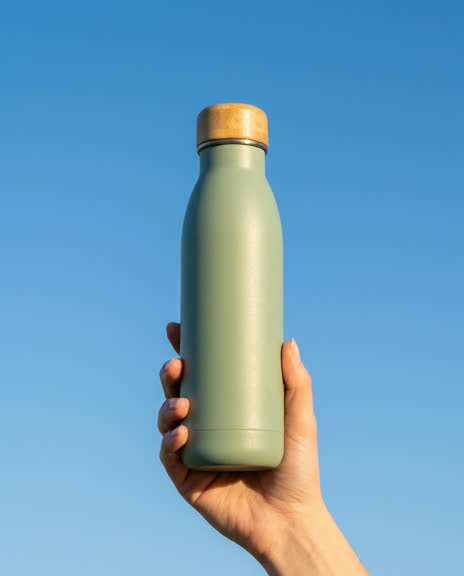
What you get: A 9:16 still of a person holding your product, a 5-second clip that starts from that still, and one spoken line as an mp3.
How it works
- An image-edit model puts the product from your photo into a hand, in a scene you describe, as a 9:16 picture.
- An image-to-video model animates that picture. The picture is the first frame, so the clip has its shape.
- A speech model reads your line.
- You join clip and voice with one ffmpeg command, which the template and the script print. UberLLM does not join files.
The test run ·
- Still: PNG, 768x1376, made in 48 seconds, billed $0.042.
- Clip: MP4, 716x1284, 5.04 seconds, no sound, made in 85 seconds, billed $0.3675.
- Voice-over: MP3, 3.3 seconds, made in 2 seconds, billed $0.0001.
- Whole run: 2 minutes 18 seconds, $0.41.
n8n workflow (import by link) · Script: node ad-creative.mjs ugc product.jpg
2. One product photo to many static ad variations
What you get: One picture per line of a list you write: backgrounds, settings, angles, hooks. The product stays as it is in your photo.
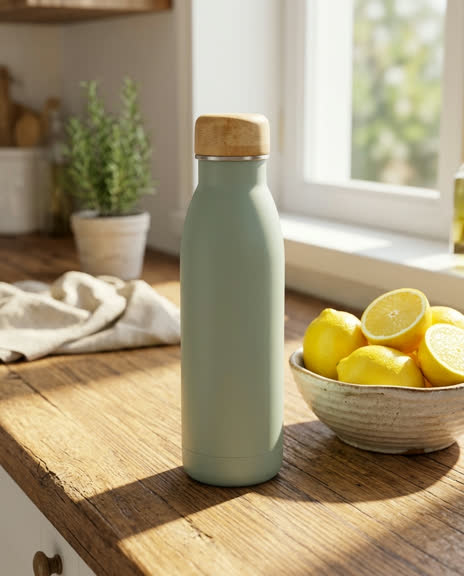
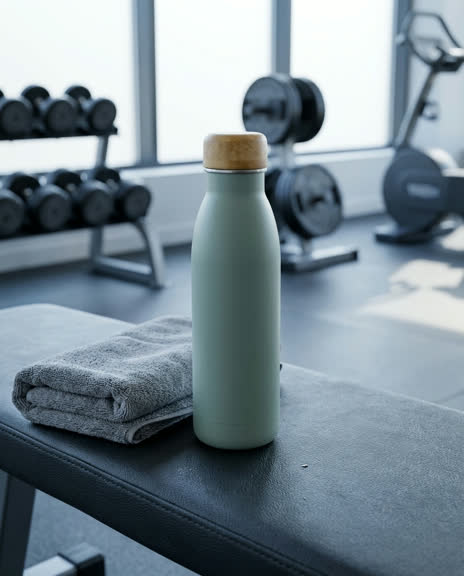
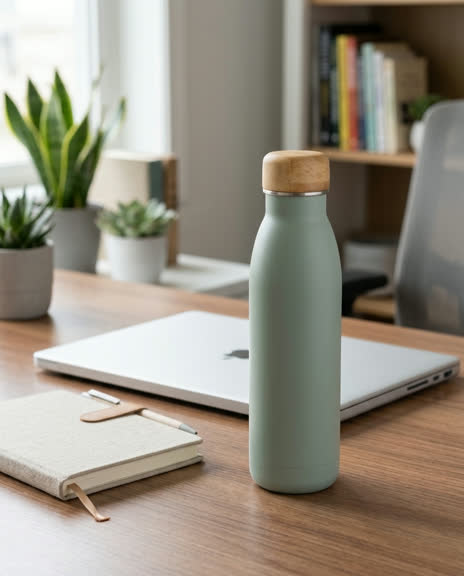
How it works
- Write the list, one variation per line (up to 100 per run), and pick the shape: 4:5 for the feed, 1:1 or 9:16.
- An image-edit model makes one picture per line.
- Each picture is downloaded at once. A line that cannot be made does not stop the others and is not charged.
The test run ·
- Four variations at 4:5: four PNG files, 928x1152 each, billed $0.042 each, $0.168 in total.
- Three were made in 14 to 48 seconds. One timed out twice (not charged) and was made on the third try.
- Whole run: 3 minutes 13 seconds.
n8n workflow (import by link) · Script: node ad-creative.mjs variations product.jpg
3. Sheet rows to one image and one video ad per row, on a schedule
What you get: For every new row of a Google Sheet (published as CSV) or any CSV file: one still and one clip. Rows made before are skipped.
How it works
- Each row names a product photo, the scene, what moves and the shape.
- The workflow runs every day (or when you start it), reads the sheet and takes the rows it has not made yet, at most 5 per run unless you change it.
- For each row an image-edit model makes the still and an image-to-video model makes the clip.
- A row that fails does not stop the others, and is tried again on the next run.
The test run ·
- Two rows, one 9:16 and one 4:5.
- Row 1: still 768x1376 in 15 seconds, billed $0.042; clip 716x1284, 5.04 seconds, made in 5 minutes 32 seconds, billed $0.4531.
- Row 2: still 928x1152, billed $0.042 (one try timed out first and was not charged); clip 860x1068, 5.04 seconds, made in 5 minutes 29 seconds, billed $0.4531.
- Both clips were listed at $0.3675 when they started. The first provider was busy, the jobs moved to a dearer one, and the bill was 23% above the listed price. The ceiling set in the recipe ($1.50 a clip) was not reached.
- Whole run: 13 minutes 13 seconds, $0.99. A second run right after made nothing and cost nothing, because both rows were already made.
n8n workflow (import by link) · Script: node ad-creative.mjs sheet rows.csv
4. Product photo to a studio spin video
What you get: A clean studio still of the product alone, and a 5-second turntable-style clip for a store page or an ad.
How it works
- An image-edit model puts the product alone on a plain studio background, 1:1 unless you pick another shape.
- An image-to-video model turns it slowly with the camera still.
The test run ·
- Studio still: PNG, 1024x1024, made in 36 seconds, billed $0.042.
- Clip: MP4, 960x960, 5.04 seconds, made in 2 minutes 32 seconds, billed $0.3675.
- Whole run: 3 minutes 11 seconds, $0.41.
- The sample bottle is the same from every side, so its turn is hard to see. A product with a label or an uneven shape shows it. The model draws the sides your photo does not show, so check them against the real product.
n8n workflow (import by link) · Script: node ad-creative.mjs spin product.jpg
What the models cost now
These are the models the recipes call, at the price on the market when this page was built. The page is rebuilt every hour. You pay per picture, per second of video and per 1,000 characters of speech; there is no subscription. The bill is what the provider charged: the test runs above were billed about 5% above the listed price ($0.042 a picture, $0.0735 a second of video), and two clips more than that, so price a run first and set a ceiling.
| Model | Used for | Price now |
|---|---|---|
| Nano Banana 2 (image-to-image) google/nano-banana-2-edit | Puts the product in a scene (the still) | $0.04 per image |
| Kling O3 Standard (image-to-video) kling/kling-o3-standard-image-to-video | Turns the still into a clip | $0.07 / sec |
| Kling O3 Standard Image to Video fal-ai/kling-video/o3/standard/image-to-video | Backup for the clip, used only when the first has no free provider | $0.07 / sec |
| Kokoro Text to Speech (Venice) venice/kokoro-tts | Reads the voice-over line | $0.0028 per 1K characters |
· No UberLLM fee on requests. Adding credit by card costs 5.5% + $0.50. Every video model, per second · All image, video and speech models
What you pay when things go wrong
A job that fails costs nothing
A video job that ends as failed, canceled or expired is not charged, and neither is a picture or a voice-over request that fails. The money held for it comes back to your balance. A clip that finishes but does not look right is billed, as it is everywhere.
You see the price before the job, and you set the ceiling
Send any request with "validate": true and it is checked and priced without being made or charged. The bill is what the provider charged, which can be above or below that listed price: when the first provider is busy, a job can move to a dearer one. Your ceiling is max_cost: send it with a request, and a job that would cost more is refused or stopped at no charge. Every recipe here sets one.
Credit does not expire
Credit you buy does not expire while your account is open. You add credit from $5, by card or PayPal, and unused credit can be refunded on request within 30 days of the purchase.
What this API does not do
So you can plan the rest of the pipeline:
- It does not join clips or put a voice track on a clip. The recipes give you the ffmpeg command for that.
- It does not put captions on a video. It can write the caption file: send a voice track to the transcription endpoint with
response_formatset tosrtorvttand you get timed captions back (the test voice-over came back as one timed line for under a hundredth of a cent). Putting them on the clip is an ffmpeg step. - It has no talking avatar and no lip-sync model. Nothing here moves a face to a voice track you supply.
- A clip made from a picture takes the shape of that picture. For a 9:16 or 4:5 clip, make the still in that shape first; these image-to-video models take no aspect ratio, and a request that sends one is refused before any charge.
- Results are not stored for you. Picture links last about 15 minutes and video links about 3 hours, so the recipes download every file at once.
- A model can refuse a prompt or a picture under its maker’s content rules, and some jobs fail when no provider is free. Those cost nothing, but plan for a second try.
- It does not make the product look right by itself. Check every picture and clip against the real product before it runs.
Before you run ads
The recipes use a plain product and make no claims. What you run is your responsibility, so check these first:
- AI people are not customers. A person made by a model is generic. Do not present one as a real customer, a testimonial or a doctor, and label AI-generated people where the platform or your local law asks for it. In the United States, a fake testimonial can break the FTC rule on reviews and testimonials. FTC on its consumer review rule
- Meta labels AI media itself. Meta says it reads the signals that AI tools put in a file and adds its own label to ads made or edited with AI. Meta on AI labels in ads
- Health and before/after rules apply to AI creatives too. Meta does not allow side-by-side before and after pictures for weight loss, or claims that a product cures a listed illness, whatever tool made the ad. Meta health and wellness ad standard
- Each model has a maker, and the maker’s terms say how its output may be used. Requests here run on third-party providers, so read the terms of the models you use before an ad goes live, and use only product photos you have the rights to. Google says images made by its Gemini image models carry a SynthID watermark. Kling user policy · Google Gemini API terms · Google on image generation and SynthID
For Claude Code and other coding agents
The ad-creative skill runs the same recipes from a product photo on your computer. It asks before it spends, prices a run first, and saves every file with a record of what each step cost.
npx skills add PSA-Team-source/uberllm-n8n-templates --skill ad-creativeThe skill and its script · How jobs, waiting, callbacks and file lifetimes work for these recipes: Ad creative workflows in the docs
Questions
Can I make a 4:5 video for the Meta feed?
Yes, by making the still at 4:5 first. The image-to-video models in these recipes follow the shape of the first picture, so a 4:5 still gives a 4:5 clip.
How long does one ad take?
In the test runs a still took 14 seconds to about 2 minutes (the slow ones had a timed-out try first) and a 5-second clip took 1.5 to 5.5 minutes. The workflows wait for the job and download the file when it is ready.
Do I need n8n?
No. Every recipe is also one command of a script with no dependencies (Node 18 or newer), and the same calls work from any language: they are plain HTTP requests.